Digital tickets, no install
Runs in the browser in Arabic and English, and recovers from its link.
Scan a QR code, take a number and follow the queue in the browser. No app, no account.
Real captures of the system running locally with demo data. Staff screens are in Arabic.
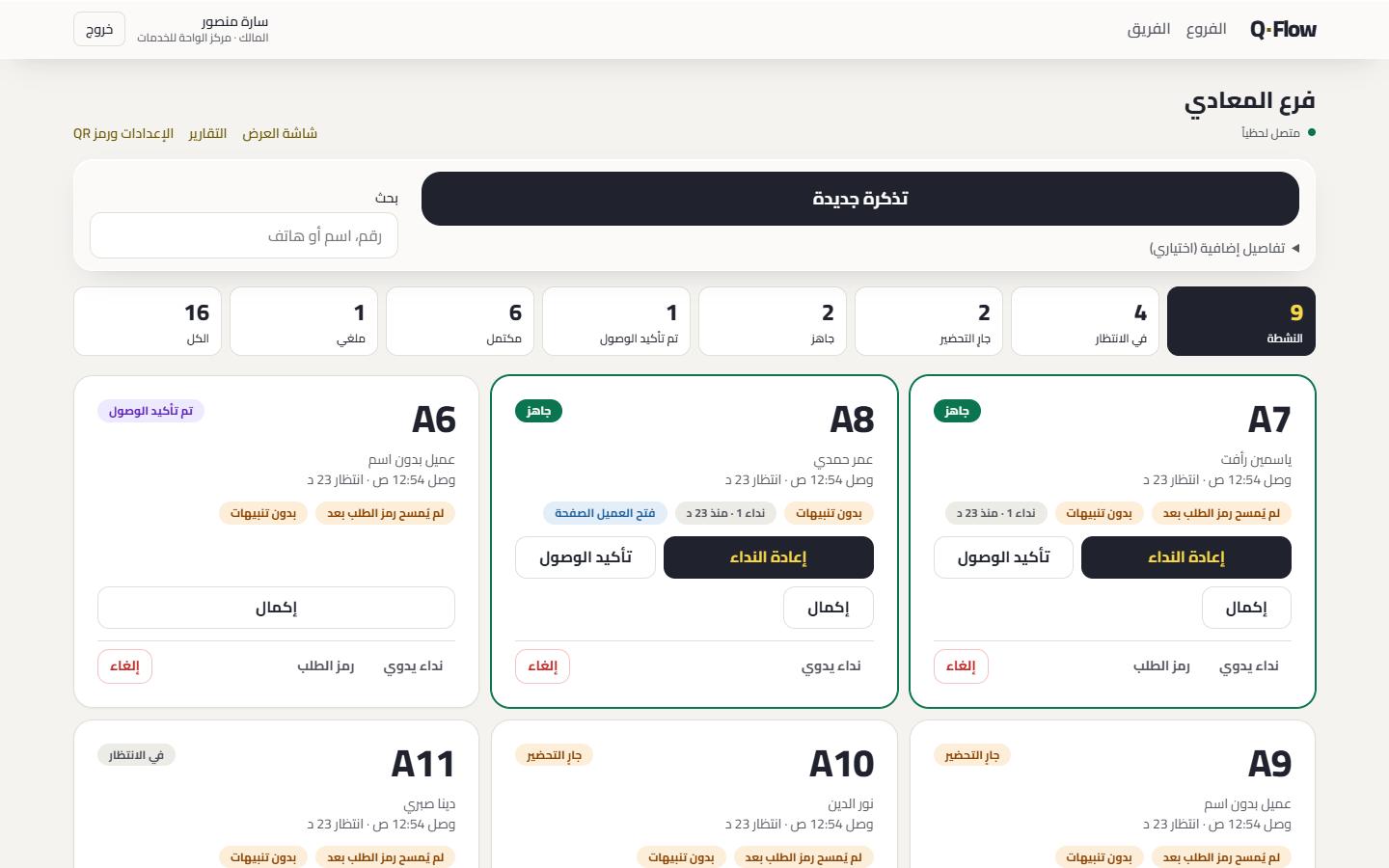
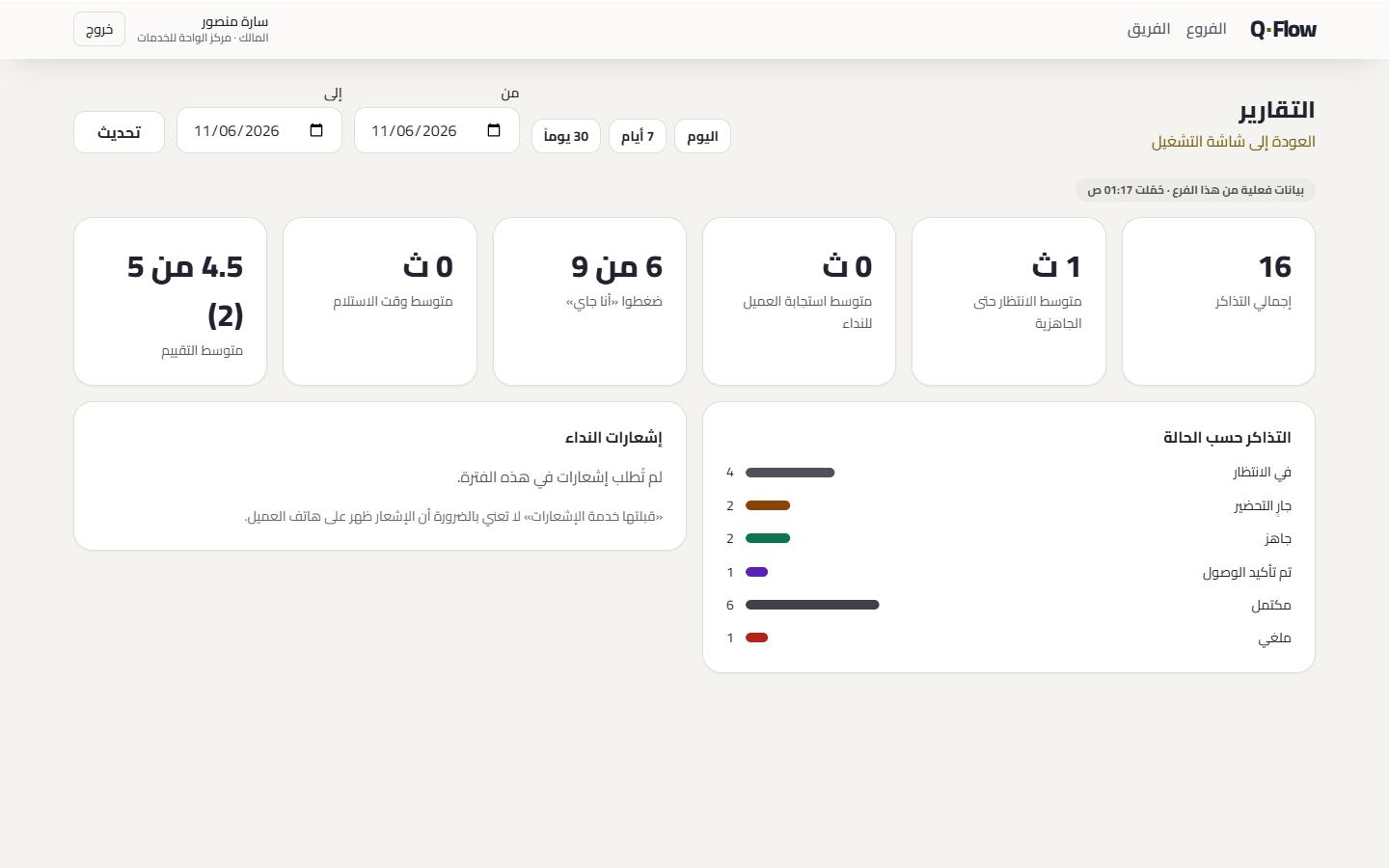
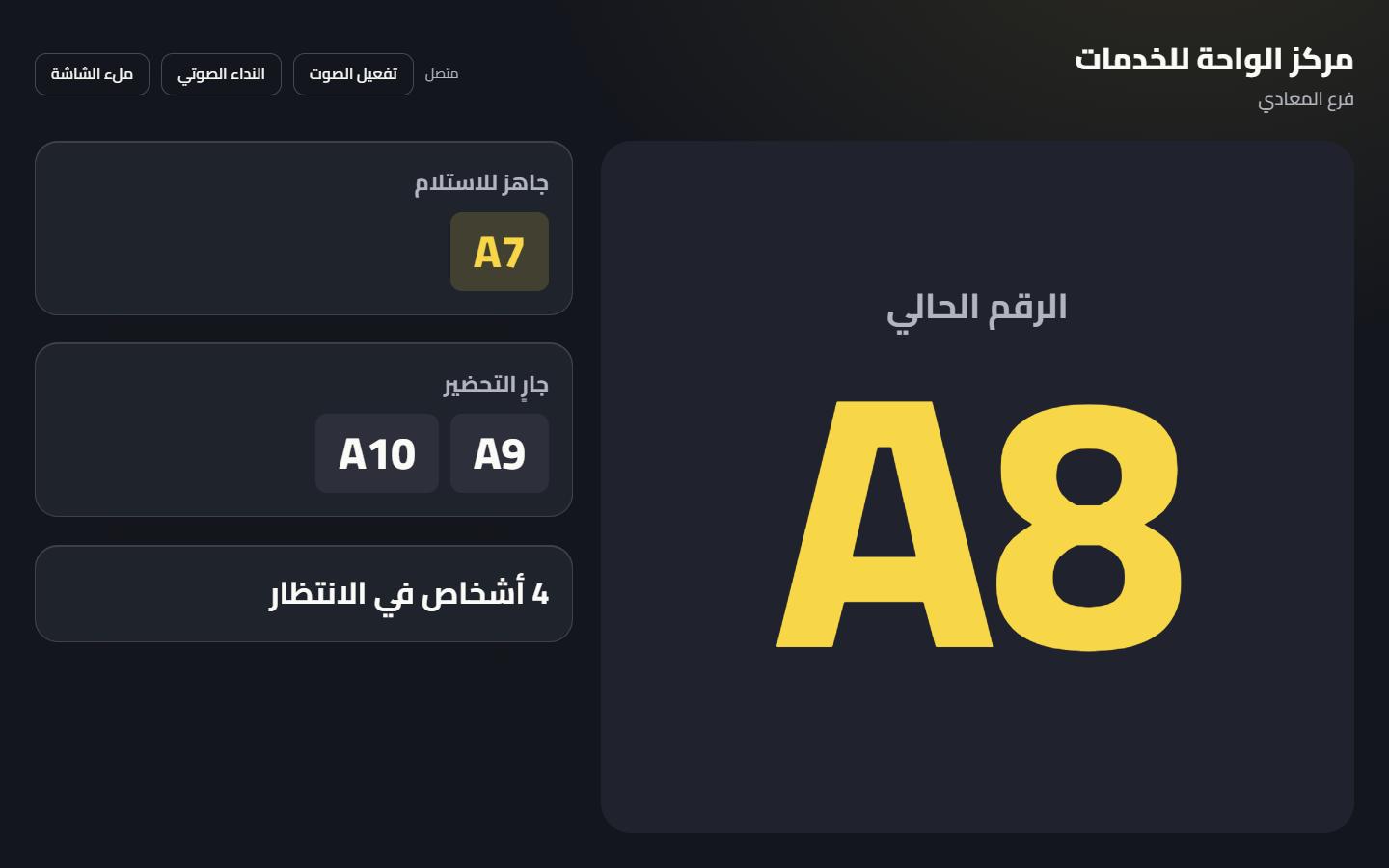
With the phone camera. The branch page opens in the browser.
One tap, with no account or phone number.
A large, clear number that stays available at its link.
Sees how many people are ahead and the current status.
The status updates live. Alerts are optional.
Sees the call and taps “I'm coming”.
Automatic numbering, or the cashier's number with a QR per order.
One tap updates the status and tells the customer.
If sending fails, the board says so and asks you to call the customer yourself or recall.
Staff confirm arrival, so the records stay accurate.
Runs in the browser in Arabic and English, and recovers from its link.
Clear statuses, search, and calling from one place.
WebSocket with reconnection, and periodic checks if it drops.
A number readable from afar, with optional chime and voice.
Wait, response and status breakdown, for up to 92 days.
Each company is isolated. Each employee has their branches and permissions.
Web Push where the device supports it. iPhone requires adding the page to the Home Screen.
An optional iOS layer still being verified on devices. Not available to customers yet.
The board shows the furthest state we can prove for each call. If it fails, it asks staff to call the customer themselves, so nobody loses their turn.
Statuses are general, and wording adapts to the business type. No sector integrations are available yet.
No. The whole journey runs in the browser after scanning, with no install, account or phone number.
We don't guarantee that in a browser. Web Push is optional and depends on the device. Returning to the link restores the status from the server.
Tabs of one browser normally share a ticket, but two devices can't be linked, because customers give no identity.
The staff board shows the actual send result, asks staff to call out loud, and offers Recall with the number on the display.
Automated tests pass, but testing on real phones is still under way. We don't claim a device until it's proven.
Create the account, print the QR code and start your first queue.
Create your account